How to import my Bitget transactions or active
Do you want to import your Bitget transactions into Exceefy? Follow this step by step guide to export your CSV files and import them easily.
Export your transactions from Bitget
How to get my CSV file on Bitget ?
- Connect to your account Bitget

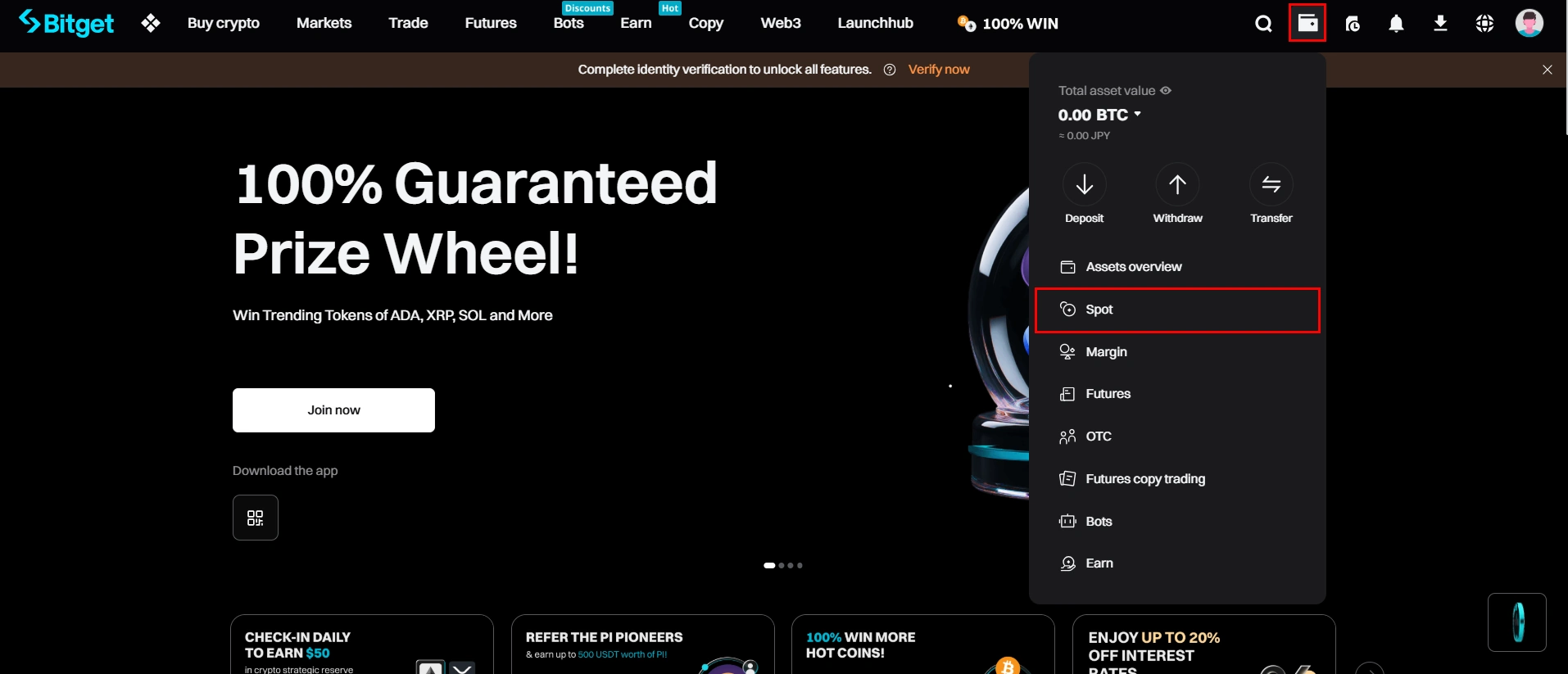
Click on the icon in the upper right corner, then choose Spot
In the menu Spot Orders, click FUND FLOW (Fonds)

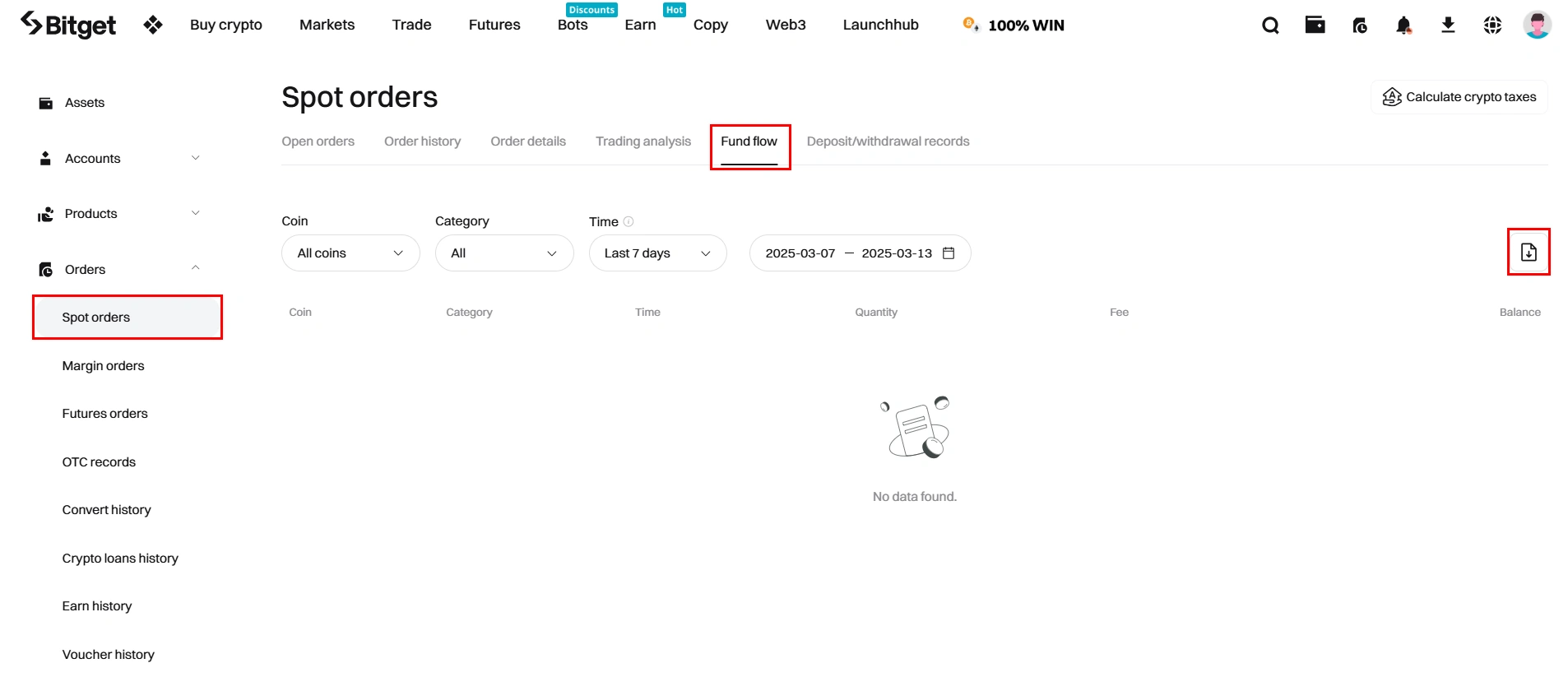
Click on the Export icon
Select Time beach, if necessary and CSV format

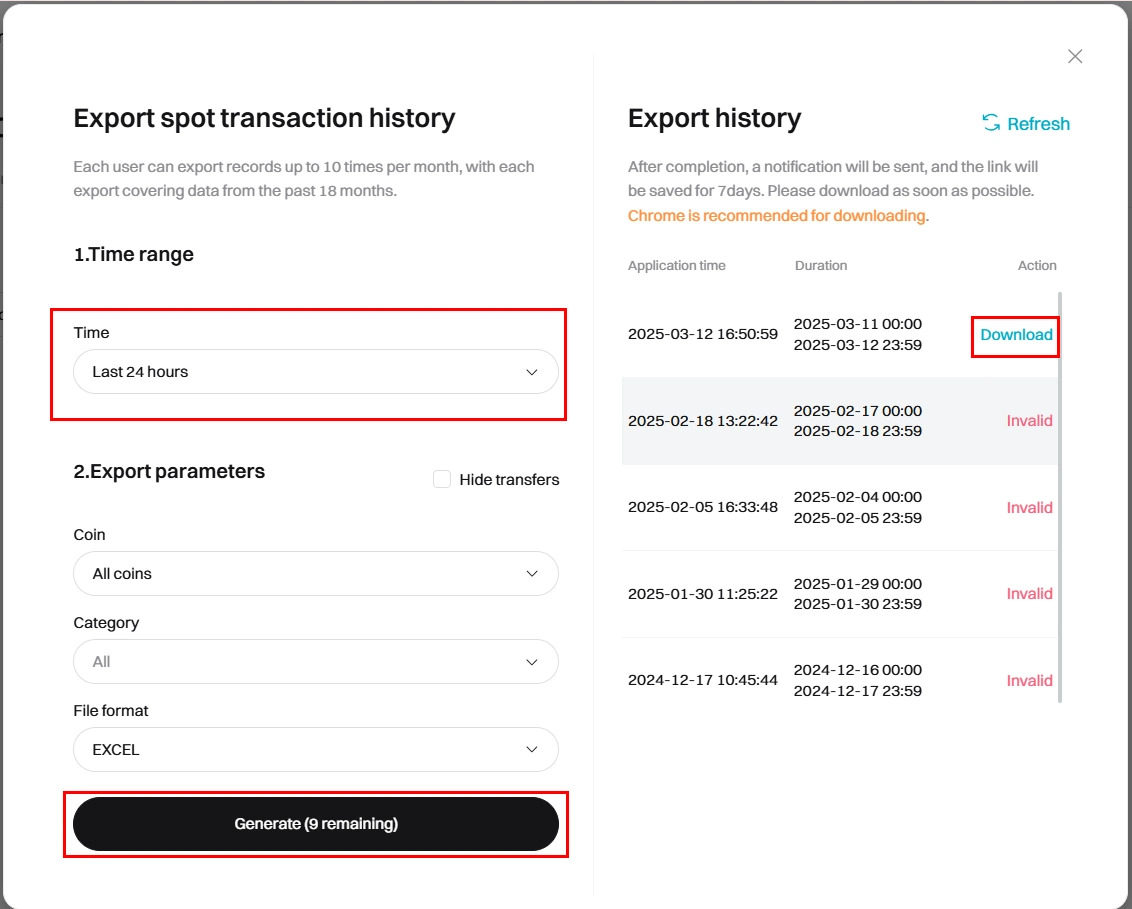
Click Generate / Generate
Once the generation is completed, click Download to get your CSV file
How to import my bitget file in Exceefy ?
In Exceefy, go to Waller → Import
In the import menu, select Bitget
Choose the CSV file that you have exported from Bitget
Follow the instructions to finalize the import
💡Tip: Create a separate wallet for Bitget in order to separate your Bitget transactions from your other wallets and follow your investments more easily.